Webhook vs API: What's the Difference and When to Use Each
You're building an integration and someone asks: "should we use a webhook or an API call here?" The difference between webhook and API trips up developers at every level. Here's the clear answer — and when to use each.
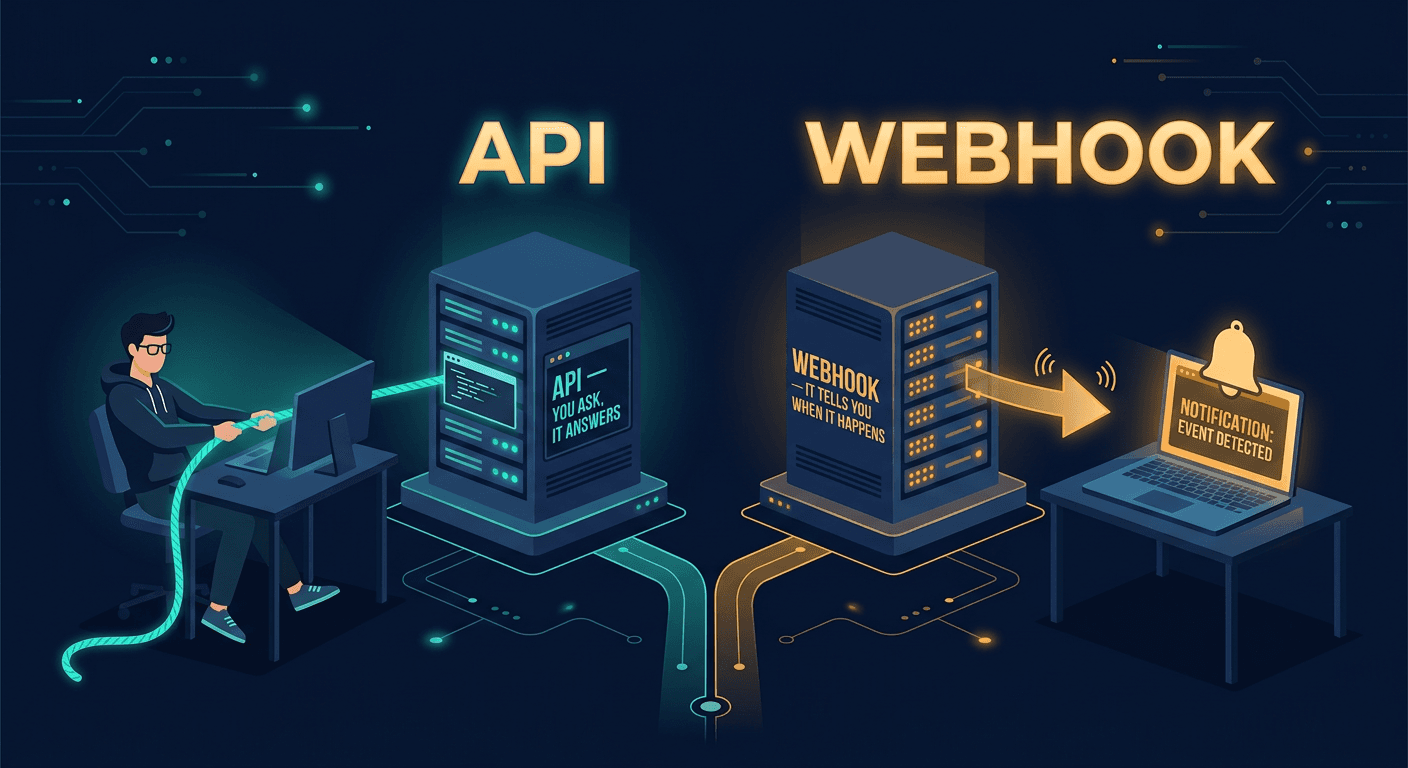
The Core Difference in One Sentence
An API is a pull: your app requests data when it needs it. A webhook is a push: another server sends data to your app when an event occurs. Think of it this way — an API is like checking your email by logging in every 10 minutes. A webhook is like getting a push notification the moment a new message arrives.
Both use HTTP under the hood. Both transfer data, typically as JSON. But the direction of who initiates the request is the fundamental difference between a webhook and an API — and that distinction changes everything about how you architect an integration.
What Is an API? (Quick Refresher)
An API (Application Programming Interface) is a contract between your application and a remote server. You send a request, the server processes it, and you get a response back. That's the entire flow.
REST APIs dominate modern web development. They use standard HTTP methods — GET to read, POST to create, PUT to update, DELETE to remove. The interaction is synchronous: you ask a question, you wait, you get an answer. You control when and how often you make the call.
curl https://api.payments.com/v1/charges/ch_123 \
  -H "Authorization: Bearer sk_live_xxx"
You initiate the request. You get the response. You control the timing.
What Is a Webhook?
A webhook flips the relationship. Instead of your app asking for data, a remote system sends data to your app the moment something happens. You register a URL — your endpoint — with the external service, and whenever a relevant event fires, they send an HTTP POST request to that URL with a payload describing what happened.
The interaction is asynchronous. You set it up once, and then data arrives whenever events occur. The external service controls the timing; you control what your handler does with the incoming data.
{
  "id": "evt_3OxK2KLkdIwHu7ix1M8l4gkB",
  "type": "payment_intent.succeeded",
  "data": {
    "object": {
      "id": "pi_3OxK2KLkdIwHu7ix1",
      "amount": 4999,
      "currency": "usd",
      "status": "succeeded"
    }
  }
}
Stripe sends this to your endpoint the moment a payment succeeds. No polling needed.
Webhook vs API — Head-to-Head Comparison
The best way to understand the difference between a webhook and an API is to see them side by side.
| API | Webhook | |
|---|---|---|
| Who initiates | Your app | The external service |
| Communication model | Pull (request → response) | Push (event → notification) |
| Timing | On demand | When an event occurs |
| Data freshness | As fresh as your last request | Real-time |
| Server load | Higher (if polling frequently) | Lower (only fires on events) |
| Complexity to set up | Lower | Slightly higher (need a public endpoint) |
| Best for | Fetching data on demand | Reacting to events instantly |
| Works offline/async | No | Yes (with retry logic) |
Neither approach is universally better. An API gives you control and flexibility. A webhook gives you speed and efficiency. The right choice depends entirely on the problem you're solving — and in many cases, the answer is both.
When to Use an API
APIs are the right tool when you need to fetch data on your terms. Here are the scenarios where an API call makes more sense than waiting for a webhook.
- You need data on demand. A user clicks "check order status" in your app and you need the current state right now. You can't wait for a webhook to fire — you need an answer in milliseconds, triggered by a user action.
- You're making complex queries. You need to filter, sort, paginate, or search across large datasets. APIs support query parameters, request bodies, and flexible endpoints designed exactly for this. Webhooks deliver a fixed payload — they don't take search queries.
- You need two-way communication in one flow. With an API, you send a request and inspect the response in the same call. A webhook is one-directional: data arrives, and you process it separately.
- The external service doesn't support webhooks. Many legacy systems and older APIs still don't offer event-driven integrations. Polling a REST API on a schedule is your only option in those cases.
- You're building a CLI or one-off script. If you need to pull a report, check a balance, or migrate data once, setting up a webhook endpoint is overkill. A quick API call gets the job done.
When to Use a Webhook
Webhooks excel when your application needs to react to something that happened on another system — without constantly asking "did anything happen yet?" Here's when to reach for event-driven push notifications instead of an API.
- You need to react to events in real time. A payment succeeded, an order shipped, a form was submitted, a CI build completed. The push model delivers real-time data without any delay.
- Polling would be wasteful. If you'd have to hit an API every 30 seconds just to catch an event that happens once a day, you're burning server resources and API rate limits for nothing. A webhook fires once — exactly when the event occurs.
- You want to trigger automations. New GitHub commit → run tests. New Stripe charge → update your CRM. New Typeform response → send a Slack message. Event-driven notifications are the backbone of automation pipelines.
- You're integrating with payment processors. Stripe, PayPal, and Braintree all use webhooks as the canonical method to confirm successful payments. If you're processing payments and not listening for event notifications, you're doing it wrong.
- You're building a CI/CD pipeline. GitHub, GitLab, and Bitbucket all fire notifications on push, pull request, and merge events. Your build system listens on an endpoint, and deployments kick off automatically.
Can You Use Both? (Yes, and You Probably Should)
In production systems, the api vs webhook question is rarely either/or. The most common pattern — and the one recommended by nearly every major API provider — combines both.
Here's how it works: a webhook fires when an event happens. Your handler receives the notification with a minimal payload — just enough to identify what occurred. Then your handler makes an API call to fetch the full details.
Take Stripe as a concrete example. They send a notification to your endpoint with the event payment_intent.succeeded and a summary of the charge. Your handler receives it, grabs the payment intent ID from the payload, and immediately calls the Stripe API:
curl https://api.stripe.com/v1/payment_intents/pi_3OxK2KLkdIwHu7ix1 \
  -H "Authorization: Bearer sk_live_xxx"
This gives you the full charge details, customer info, metadata, and anything else you need to process the order. The webhook is the trigger. The API is the fetch. Together, they give you real-time event detection with full data access — the best of both worlds.
This hybrid pattern is industry standard. If you're choosing between webhook vs API for a new integration, the answer is often: start with event-driven notifications for real-time awareness, and use the API for everything else.
Webhook vs API vs WebSocket vs Polling — The Full Picture
The webhook vs REST API comparison is the most common, but it's worth seeing how all four real-time communication patterns stack up. Each one solves a different problem.
- REST API (on-demand pull) — Your app sends a request, the server answers. Best for fetching data when a user or process needs it right now. You control the timing completely.
- Webhook (event-driven push) — An external server POSTs data to your endpoint when something happens. Best for reacting to events without polling.
- WebSocket (persistent bidirectional connection) — A long-lived connection where both sides can send messages at any time. Best for live chat, multiplayer games, collaborative editors, and real-time dashboards where data flows constantly in both directions.
- Polling (repeated pull on a timer) — Your app calls an API on a schedule. Simple to implement, but wasteful. Use it only when event-driven push isn't available and WebSockets are overkill.
The decision rule is simple. Need real-time and two-way? WebSocket. Need real-time and one-way (event notifications)? Webhook. Need data on demand? API. Stuck with a legacy system that supports none of the above? Polling.
How to Test a Webhook (vs How to Test an API)
Testing an API is something you've probably done a hundred times. Fire up curl, open Postman, or hit the endpoint from your browser. You send a request, you see the response. Done.
Testing a webhook is harder — and this is where most developers get stuck the first time. The problem: the external service needs to send an HTTP request to your server. If you're developing locally, your localhost:3000 isn't publicly accessible.
The simpler approach is to use a webhook tester like CatchHooks. Generate a unique public URL in seconds, paste it into Stripe, GitHub, or Shopify as your endpoint, trigger an event, and inspect the full incoming request in real time. No setup, no tunnels, no account required.
Try it free → catchhooks.com
Generate a webhook endpoint in one click and inspect your first payload in under 60 seconds.
Once you've confirmed the payload structure, you can move on to building your handler with confidence. For a deeper walkthrough, see our guide on how to test a webhook.
Common Mistakes Developers Make
- Polling when you should be using webhooks. If you're hitting an API every 60 seconds to check for new orders, and that service offers event notifications, you're wasting compute and burning through rate limits. Switch to an event-driven approach.
- Trusting webhook payloads without verifying the signature. Anyone on the internet can send a POST request to your endpoint. If you're not validating the HMAC signature that providers like Stripe and GitHub include in the headers, you're accepting data from unverified sources. Read our guide on webhook security and signature verification.
- Not handling retries gracefully. Most providers retry failed deliveries. If your handler isn't idempotent, processing the same event twice could mean double charges, duplicate emails, or corrupted data. Always deduplicate by event ID.
- Forgetting to return a 200 status immediately. Your endpoint should acknowledge receipt fast — ideally within a few seconds. Accept the payload, queue the work, and process it asynchronously.
- Assuming delivery order. Events can arrive out of order. Design your handlers to work regardless of arrival sequence — check timestamps, not order.
Frequently Asked Questions
Is a webhook the same as an API?
No. A webhook is a specific pattern for one-way, event-driven data delivery over HTTP. An API is a broader interface that your application actively calls to request data or perform actions. Technically, a webhook uses HTTP — so in the loosest sense, it is an API endpoint. But the initiation model is completely different: with an API, your app starts the conversation; with a webhook, the external service does.
Which is faster — an API or a webhook?
For real-time event notifications, webhooks win. You receive the data the moment an event occurs on the external system — there's no delay. With an API, you can only get new data as frequently as you poll, and polling too aggressively will get you rate-limited. That said, for on-demand data retrieval triggered by a user action, an API is the correct tool.
Can a webhook replace an API?
Not entirely. Webhooks are excellent for event notifications — "this thing just happened, here's the data" — but they can't replace APIs for on-demand queries, complex filtering, pagination, or two-way request-response communication. Most production integrations use both: the push model to get notified about events in real time, and API calls to fetch full details, query historical data, or perform actions.
How do I test a webhook without deploying my server?
Use a testing tool like CatchHooks. It gives you a public URL instantly — no signup, no setup. Point any service at your CatchHooks URL, trigger an event, and you'll see the full incoming request: headers, body, query parameters, and timing. It's the fastest way to understand a payload structure before you write any handler code.